When making an online transaction, your card may trigger a 3D Secure authentication step to enhance security. If your transaction require for verification, you can choose to authorize the transaction directly via mobile app through PaySafe, without entering a one-time password (OTP) via SMS.
📲 Step-by-Step Guide:
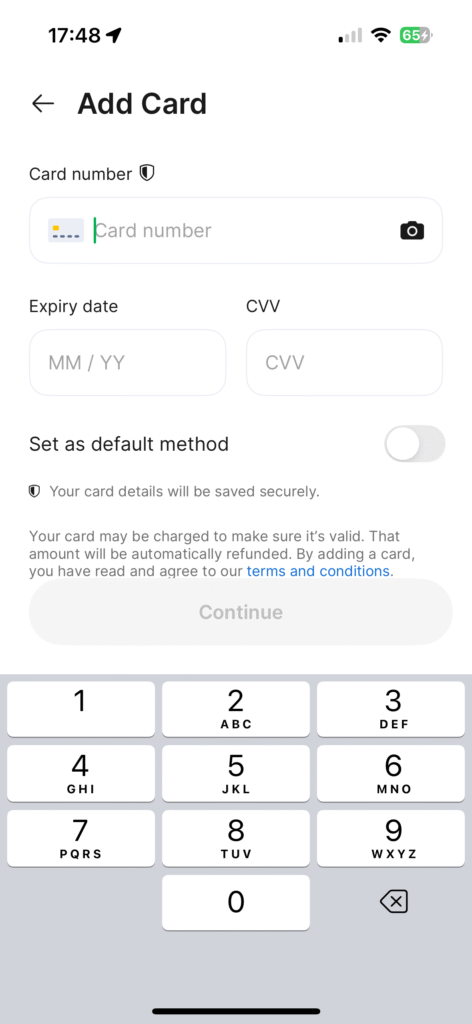
If this is your first time using the card on a particular platform, you may be required to bind your card by entering your card details before proceeding with the payment.
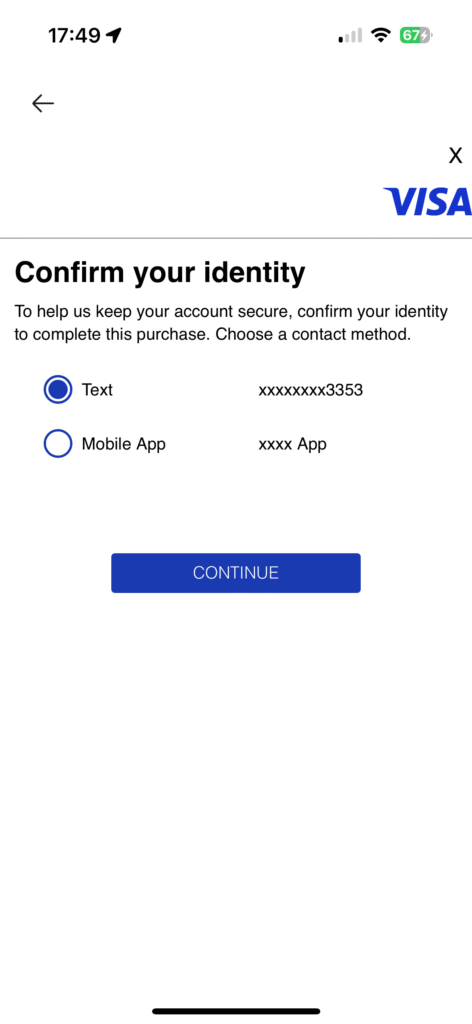
After submitting your transaction, a Visa 3D Secure pop-up will appear.
You’ll be asked to choose a verification method:
✅ SMS One-Time Password (OTP)
✅ Mobile App Verification (PaySafe)
Select verification via Mobile App.
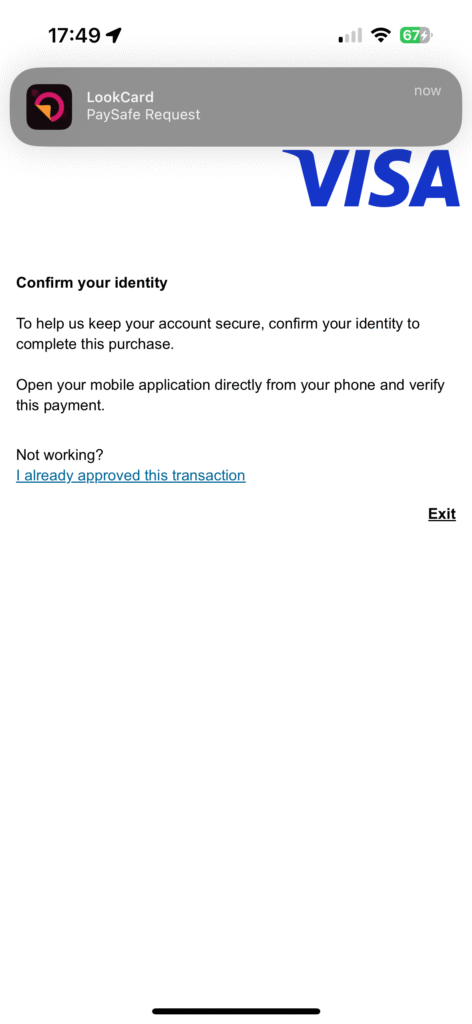
You will receive a pop-up notification from the App.
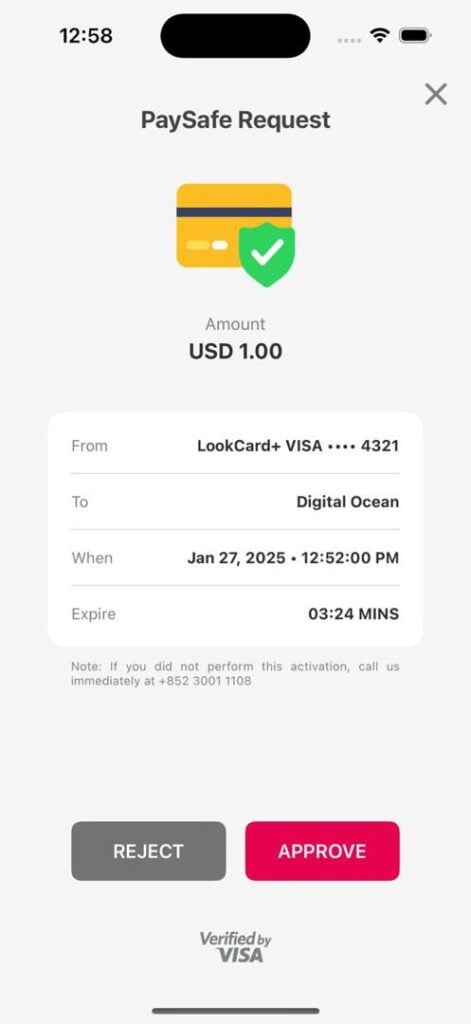
Tap on the notification — it will direct you to a transaction details page within the app.
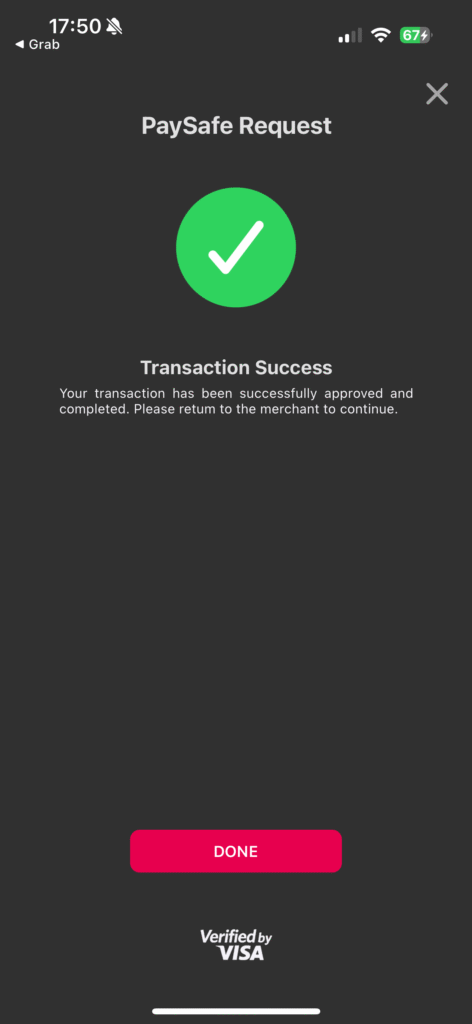
Review the transaction details and tap Approve to authorize the payment.
There you go. Transaction Approved.
🔍 Didn’t Receive the Notification?
If you do not receive the pop up notification:
Sign in to the App directly.
Go to Settings > PaySafe.
You will see a pending verification request if any transaction is awaiting approval.
Tap to approve the transaction manually.
EN
EN
ZH
HK
EN
EN
ZH
HK
Cross-Border Access Restrictions
Please be advised that the promotion or distribution of our products and services beyond Hong Kong may be subject to regulatory requirements. The content on this website is intended solely for residents of Hong Kong.
By clicking “Continue,” you acknowledge that you have read and understood this advisory and are accessing the website independently, without any solicitation or promotion from LookCard+



 EN
EN  ZH
ZH  HK
HK